Giana’s Learning Journal
Week 1
On week 1, we learned about basic moving images.
Many devices that can be considered precursors to cinema are also called "philosophical toys" or "optical toys." But unlike film, watching these moving images is always accompanied by brevity and repetition.


Our first exercise is Thaumatrope, where you draw different patterns on two pieces of paper, then stick them together and rotate them quickly. The two images merge because of the persistence of vision, forming a single image.




Next, we began learning Adobe After Effects.
We started by understanding its interface navigation, how to set up compositions, basic functions, and how to render and export.

We mainly learned about layer settings, timelines, and keyframe settings.
By setting keyframes and adjusting the image's position, size, and color, you can naturally achieve the effect of graphic transformations.


Learning about changes in graphic size, position, and color.

Use Adobe Illustrator to create moiré pattern materials and import them into After Effects. Then, move the materials to create the effect.

Moiré pattern is a large-scale wave interference pattern that can be produced when a partially opaque pattern with transparent gaps is overlaid on another similar pattern.
We not only created a moiré animation, but also tried a hand-drawn version.

Week 2

In Week 2, we learned about animation fade-in and fade-out effects and understood graphic and numerical animation.
After creating the keyframe, click the curve icon to bring up the curve mode, and adjust the curve's curvature to create an easing effect.


Then we used the knowledge we had learned to create interesting animations.

We learned about free, publicly available resources, including videos and music, and then I used these materials and my own footage to edit videos.
Week 3
In Week 3, we learned about loop in/ loop out expressions.
We photographed some patterns, then converted them into vector graphics in Illustrator, and then imported them into After Effects for animation.


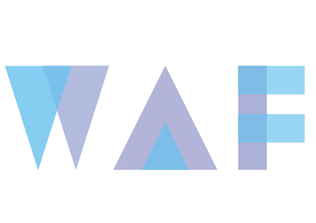
Then, we designed a logo for the group and animated it.
Week 4
In Week 4, we begin learning 2.5D and 3D animation.
Import your footage into After Effects, then add 3D layers, add a new camera layer, and animate using the camera. You can also add control pins and animate them, add video or image footage, adjust blending modes, and more.


Import text, image, or shape layers, and activate the 3D layers by clicking the small cube icon in the timeline. Each 3D layer has X/Y/Z axis parameters, which can be moved and rotated individually.
Create a new camera. You can move the camera directly, or create an empty layer and connect the camera.


Then, we learned about the techniques of stop-motion animation.
We first learned about frame rate and persistence of vision, and then about the minimum frame rate: because our eyes can perceive 10-12 frames per second. Below 10 frames per second, continuous motion cannot be perceived.
After understanding these concepts, we began to try shooting our own stop-motion animation.